Recommended Capture Journals
Post 4 in the series: Recommended Productivity Tools
First things first: Why should you have a physical capture tool?
- You aren’t always at your computer.
- Sometimes it is faster to just write down your ideas.
- You can draw and mind map more easily in a physical notebook (though for more extensive mind mapping I recommend a software program like Mind Manager).
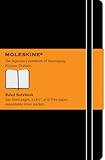
What, then, should you use for your physical capture tool? I recommend a Moleskine notebook. I have three reasons:
- They work well.
- They are fun to use.
- They have a sense of style.
As I discussed in the introduction to this series, when you find a tool to be a joy to use, you will make use of it more effectively. The moleskine notebooks exemplify this perfectly. You might find yourself brainstorming good ideas simply because you want to use the notebook.
There are many different kinds of Moleskines. In particular, I recommend the Moleskine ruled notebook large. I recommend the ruled one, rather than blank one, because I find it easier to capture notes and ideas. And I prefer the large one because it really isn’t that large (5″ x 8.5″) and provides more writing space than the pocket-sized.
For on-the-go capture, I also use Jott for iPhone (which allows voice capture and then transcribes it to text). So whether I capture something on-the-go in my journal or on my iPhone really depends upon what strikes me at the time (and what is most convenient). But I find that it is not enough to depend solely on my iPhone for capture.
When I’m at my desk, I use OminFocus and Evernote to keep track of my plans. So when I have an idea or action item to capture and I’m at my desk, I will often type it into a section at the bottom of my next action list in Evernote. But sometimes I will still use my journal for capture even if I’m at my desk.
The bottom line is: you will never regret having a physical capture tool, and the moleskine notebook is perfect.
As long as you don’t use a cheap pen.
And fortunately, I think recommended pens are next.
Posts in This Series
- Recommended Productivity Tools: An Introduction
- The Tools You Need to Have (And Where to Keep Them)
- Recommended In Boxes
- Recommended Capture Journals
- Recommended Pens
- Recommended Pencils and Paper Pads
- Recommended Staplers, Staple Removers, and Tape
- Recommended Scissors, Letter Openers, and Post-Its
- Recommended Paper Clips and Super Glue
- Not Recommended: Desktop Organizer Things
- Recommended Chairs and Waste Baskets
- Recommended Labelers and File Folders
- Recommended File Cabinets and Bookshelves
Comments
10 Responses to “Recommended Capture Journals”
Leave a Reply


Question/comment. I use a journal for personal writing, but not for capturing. I use a small, 8×5″ “legal” pad for capturing. For me, it’s real important to be able to jot something down, tear it off, and throw it in my inbox. If I used a journal, some ideas might get lost since I can’t easily tear the page out. Actually tearing out the page is the most important part (like using loose leaf paper in GTD). If you leave the paper and just flip to the next page, when you look at the notebook you always have to go back and review all of those pages or you might miss something.
I like the small size pads because they easily fit with the stuff I always have with me (journal, Kindle, and maybe another book). When I get home or to my office, I tear off the pages and toss them in my inbox for processing.
What are your thoughts on pads as opposed to journals, specifically for capturing?
Your approach to using paper pads sounds fine. The main thing is to process the notes that are captured, and you are certainly doing that.
Sometimes I do capture things on a small legal pad, tear off the page, and toss it into my inbox. But I stopped doing it that way in general because I would end up with dozens of pages torn off and in my in box. With my capture journal, each item gets one line, or more if it takes more to write it. Every day I process the items in the journal and mark them off so that I know where I left off. In other words, I just make sure to process the capture journal just like an inbox.
“I just make sure to process the capture journal just like an inbox.”
That makes sense. Almost like a task list journal. Do you use the journal only for that or do you use it for personal writing, too?
Good question. I capture thoughts in the journal as well as tasks. However, everything that goes in there gets transferred out. So tasks are either done right away or put on a longer-term list. Ideas get transferred into electronic journals on my computer.
I’ve found that it doesn’t work super well for personal writing, largely because I write on so many different topics that a physical capture tool doesn’t enable me to keep the same subjects together very easily.
If I plan on writing some thoughts more extensively — rather than just capture what has come to mind and I don’t want to lose — I put it directly into one of my electronic journals.
If I preferred to do personal writing in a physical journal, then I would have two sections in this journal — one for capturing tasks and ideas to capture, and one for the personal writing/idea development. I’ve found that it doesn’t work well to have longer term stuff that I want to keep a record of mixed in with the tasks and ideas that get processed out.
I know that lots of people really find it helpful to do personal writing in a journal. My principle there would just be to keep the capture section separate from the personal writing section of the journal.
I started using a capture journal about a year ago so that I could keep track of random thoughts and other things that came up during the day. I can testify to the usefulness and versatility of such an item. Now I wouldn’t want to run around without one.
One thing that I do, that readers might consider, is on the inside of the front cover I make a sleeve but taping to the inside cover three edges of a half sheet of paper. I can stuff a few random papers in there if I need something have to refer to later (like directions, etc.) and only if my use will be temporary. The key is ‘temporary’ because the caution is not to let this be a ‘junk drawer’. If I write a note on an independent piece of paper and it needs to be in the capture tool tape it on a page if you need it ‘long term’.
Second on the white space on that sleeve, I write a few frequently used categories (research, blog post ideas, books to check out, songs to download, etc.). I number my journal pages (usually just every other page). When I put something in the journal I throw the page number in the front, if it is part of a category I regularly reflect on. This makes referencing stuff when I get back to it very easy.
Finally, I’ve heard of a lot of people use the moleskines. They seem nice, but a cheep alternative is a simple composition notebook that you can find just about anywhere. I’ve found reliable ones with wide rule and 200 pages as cheap as $.99. I’ve found the covers and binding hold up to the wear and tear of lugging it around–and I save a bit of money too.
Thanks for the series, I find it very helpful and I’m looking forward to the rest.
I have found that the moleskin knock-off, “Markings” by C. R. Gibson is not only more affordable, but in my opinion, a better product. I noticed that Mead now also has a more affordable option available at Walmart (sorry big-box haters), but I have yet to try it.
I haven’t found one specific size that I like. On my desk A5 was better than A4 but in my handbag A6 or smaller tends to be better. I have an A5 journal (From Paperchase) with a elastic strap for all my gig tickets and things I want to hang on to. (It looks like it might explode and I’m only half way!)
I do like moleskine but they are quite expensive for what they are (like £10 for an A6 size)
For capturing my notes and tasks, I like to use Field Notes: http://fieldnotesbrand.com/category/products/
They are relatively affordable yet nicely designed and really useful. They are a bit too small sometimes, so I wish they made a 5×8.5 size too.
For Mindmapping software, I use FreeMind ( http://freemind.sourceforge.net ). It’s simple to use, and free.
Ever since Jott started charging, I’ve switched to Reqall (http://www.reqall.com ). And, just as an aside, since we’re on the topic of capture-by-phone tools, I also have Dial2Do (http://www.dial2do.com) on speed dial so I can check my gmail. Both are free to use. (My phone is not a smartphone, thus I use Dial2Do to listen to my emails.)